
-
you are in Personal Banking

General
UOB ExploreGeneralFor Individual
Privilege BankingFor Business
WHOLESALE BANKINGAbout UOB
UOB GroupUOB Vietnam

Can’t find your eStatement?
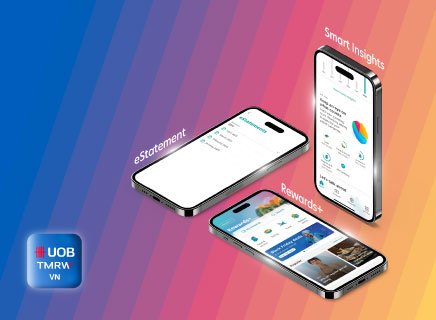
| You can view your UOB CashPlus account eStatements on UOB TMRW Vietnam app by following the below instructions: |
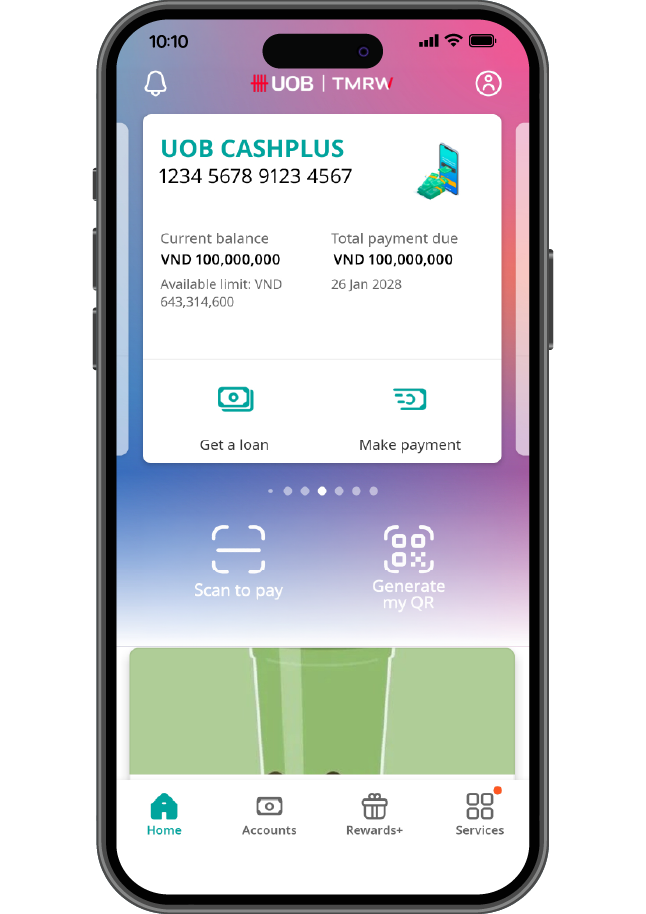
Log in to UOB TMRW Vietnam and tap on your UOB CashPlus account
Log in to UOB TMRW Vietnam and tap on your UOB CashPlus account
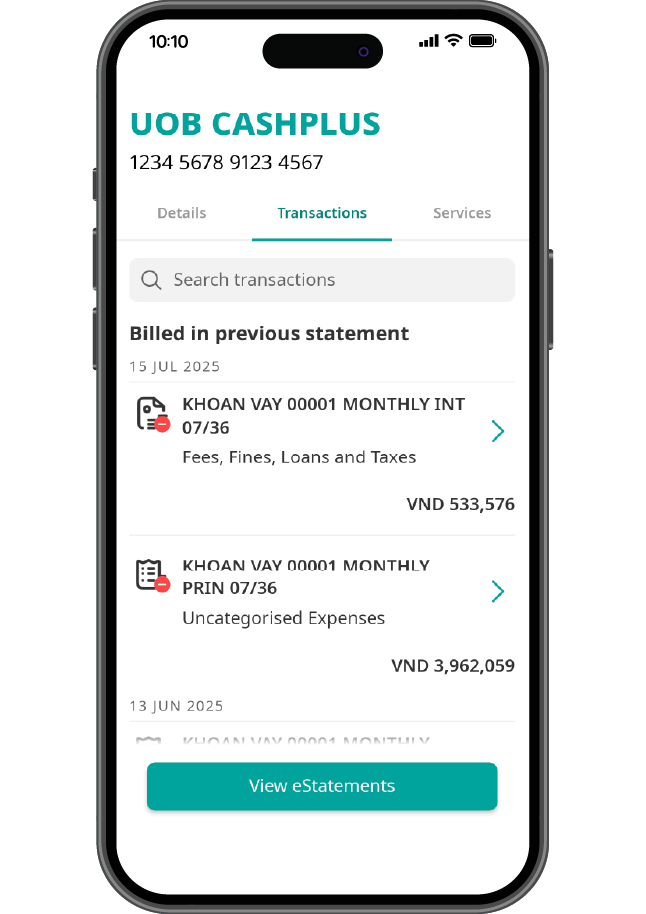
Tap on “Transactions” tab and tap on “View eStatements”
Tap on “Transactions” tab and tap on “View eStatements”
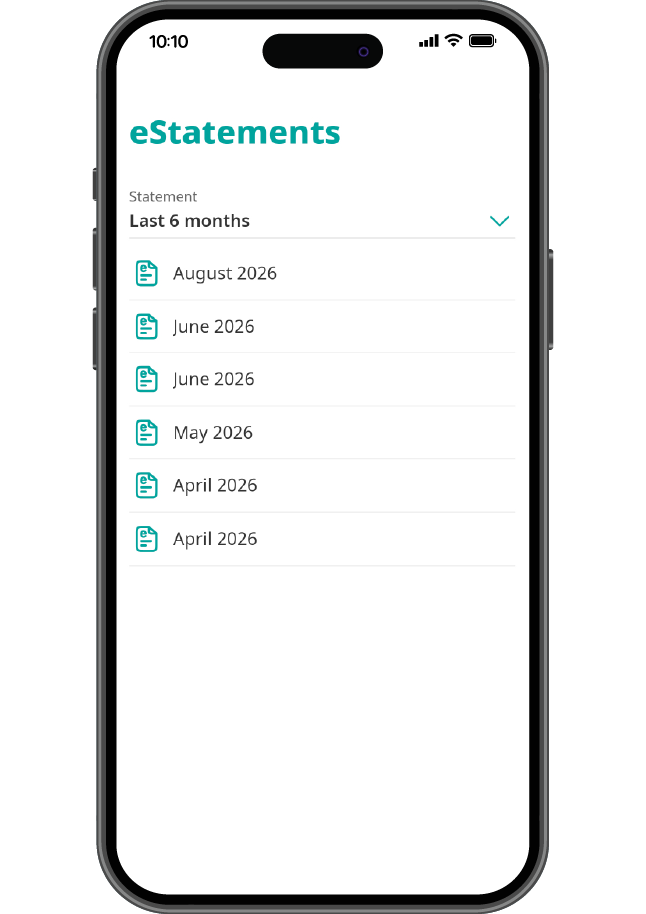
Select the month to view details
Select the month to view details
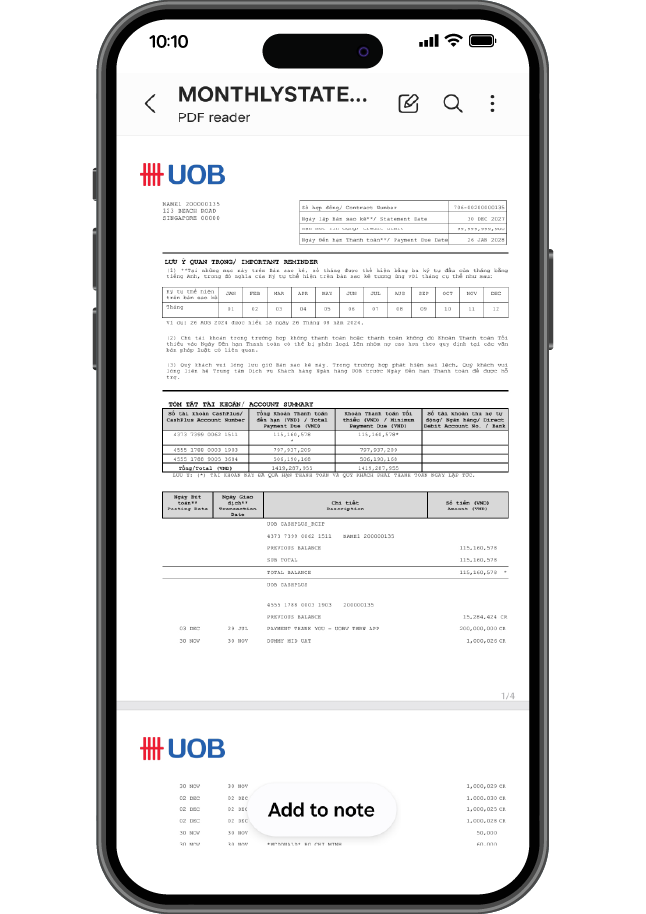
View your eStatement
View your eStatement
How can I check my principal, interest, and monthly payment for my personal loan?
Your personal loan details, including your principal, interest, and monthly repayment are available only on UOB TMRW Vietnam app. Simply log in and navigate to your loan account to see the full breakdown and indicative payment schedule. To know how much and by when you need to pay each month, kindly check and refer to your monthly eStatements.
Can I borrow more on my UOB CashPlus account?
|
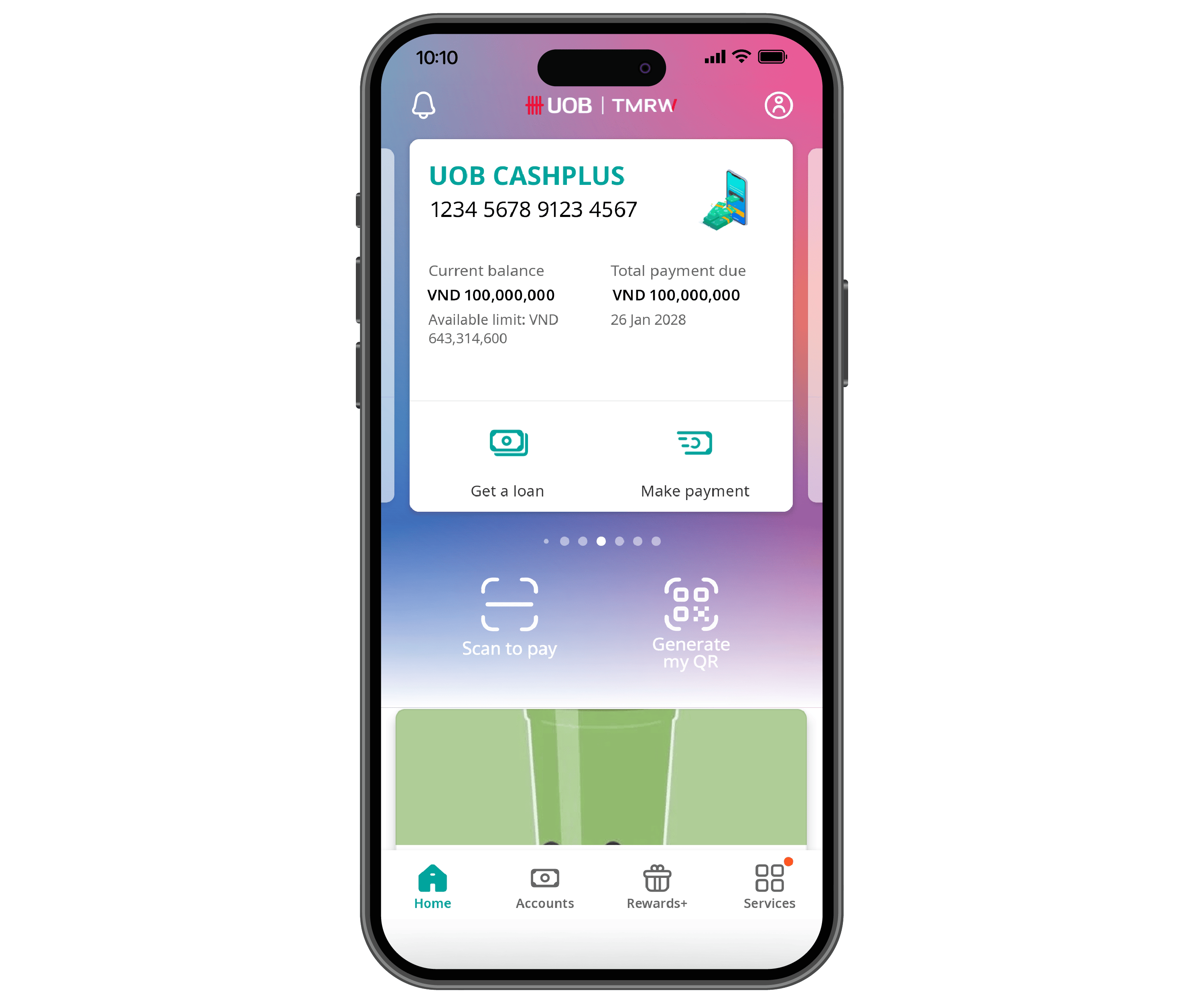
Step 1
Log in to UOB TMRW Vietnam and click “Get a loan” under your UOB CashPlus account
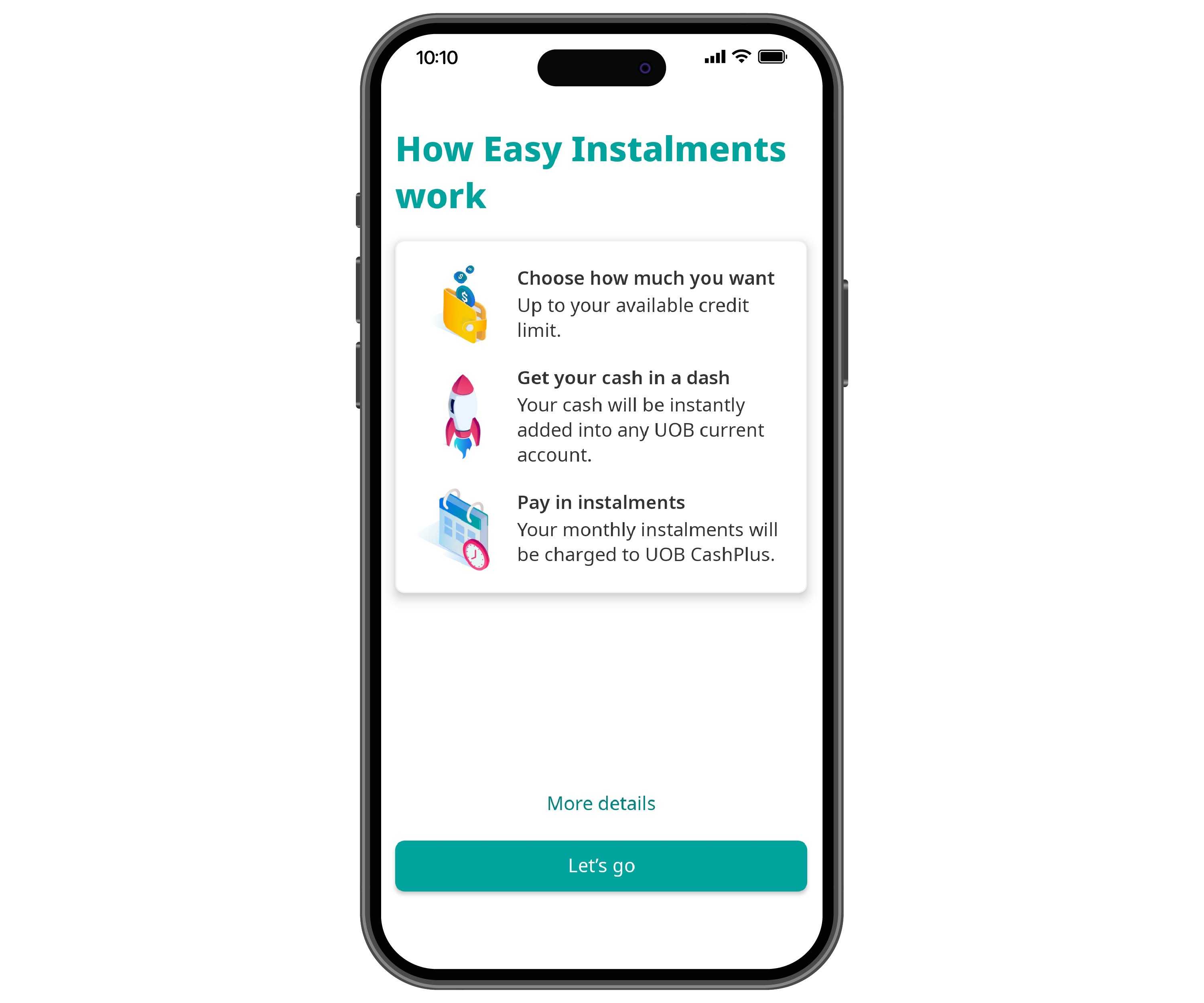
Step 2
Tap on ‘Let’s go’
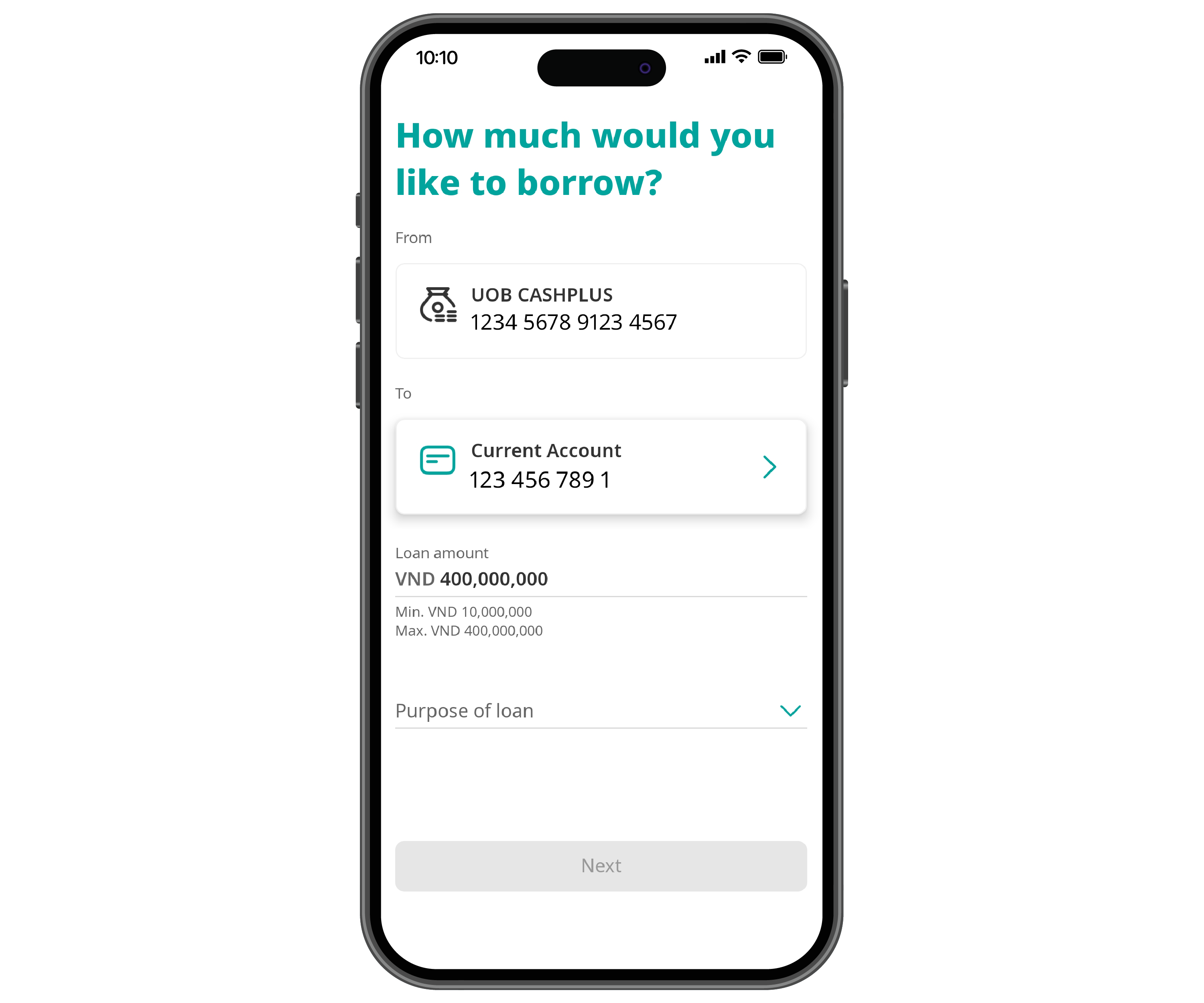
Step 3
Input loan details
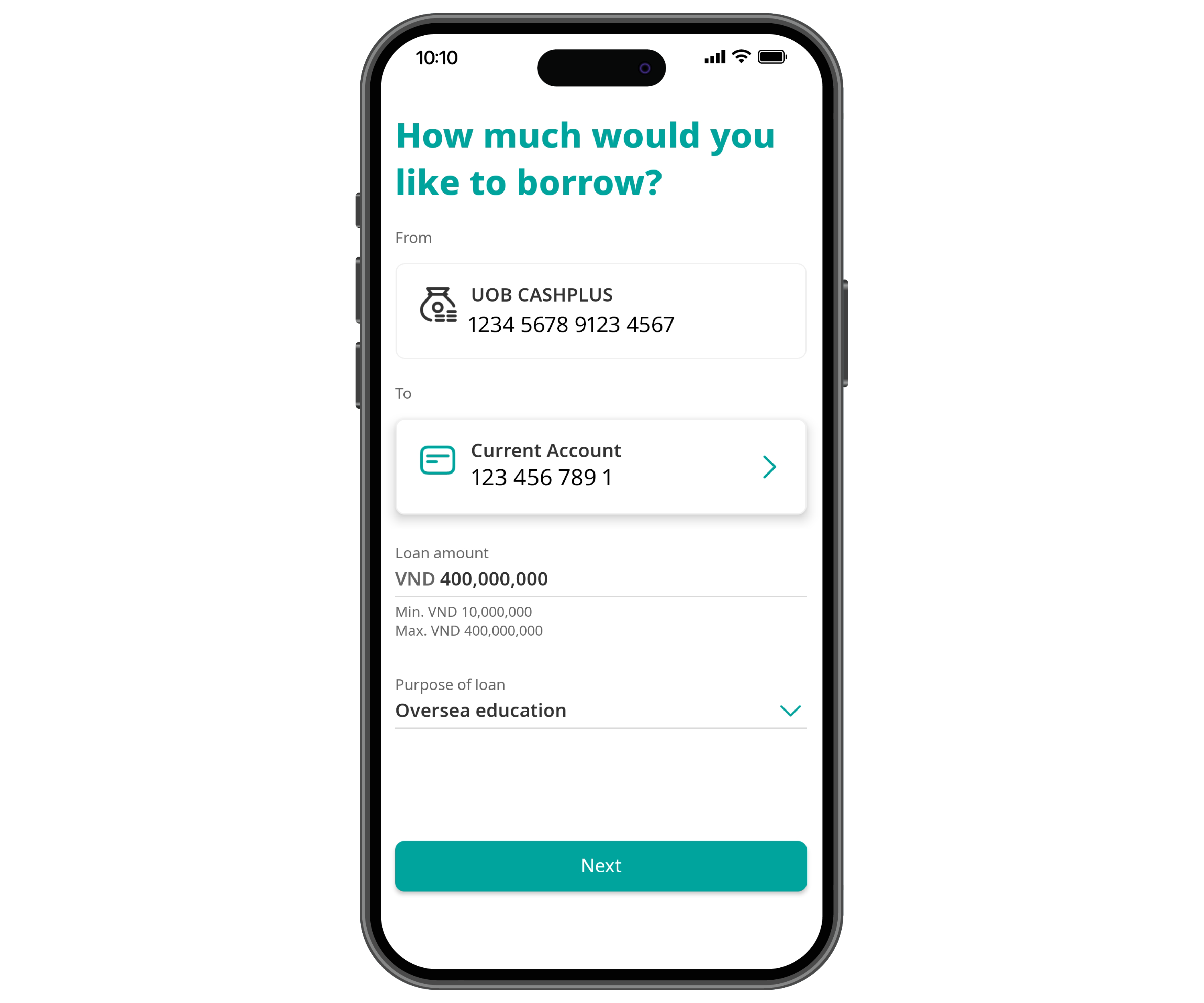
Step 4
Tap on ‘Next’ to continue
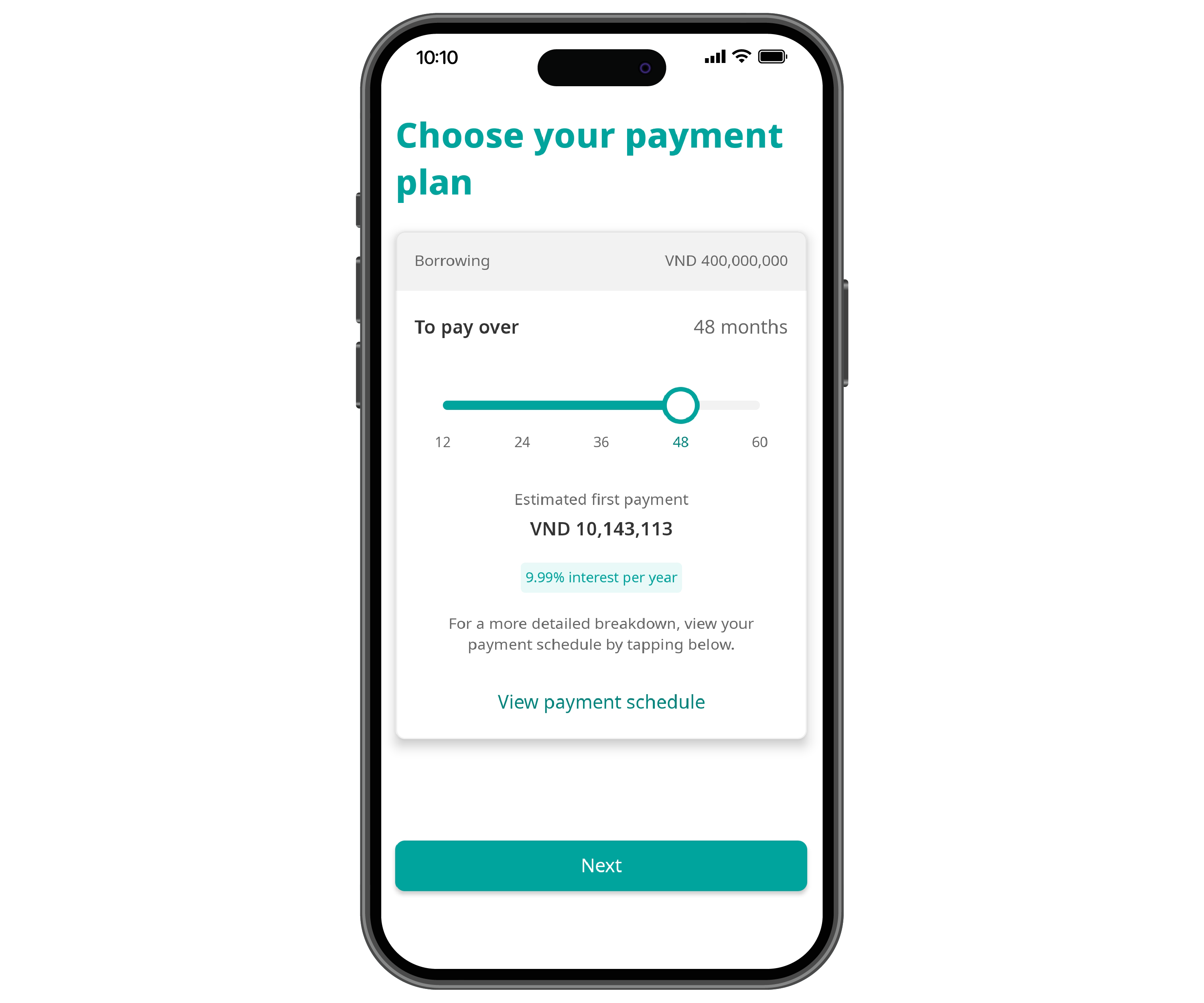
Step 5
Choose your tenor and breakdown of instalment plan and tap on ‘Next’
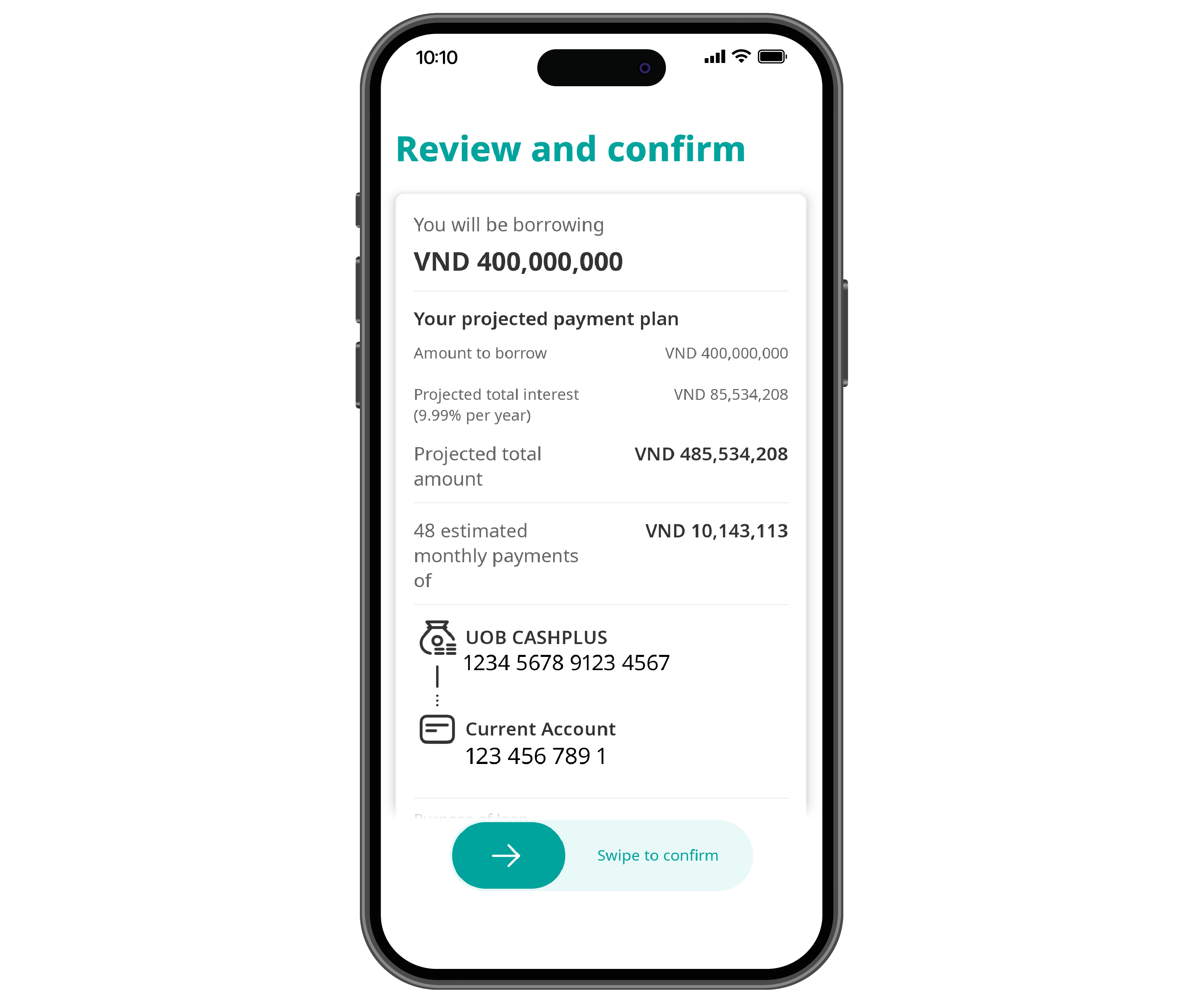
Step 6
Review and swipe to confirm
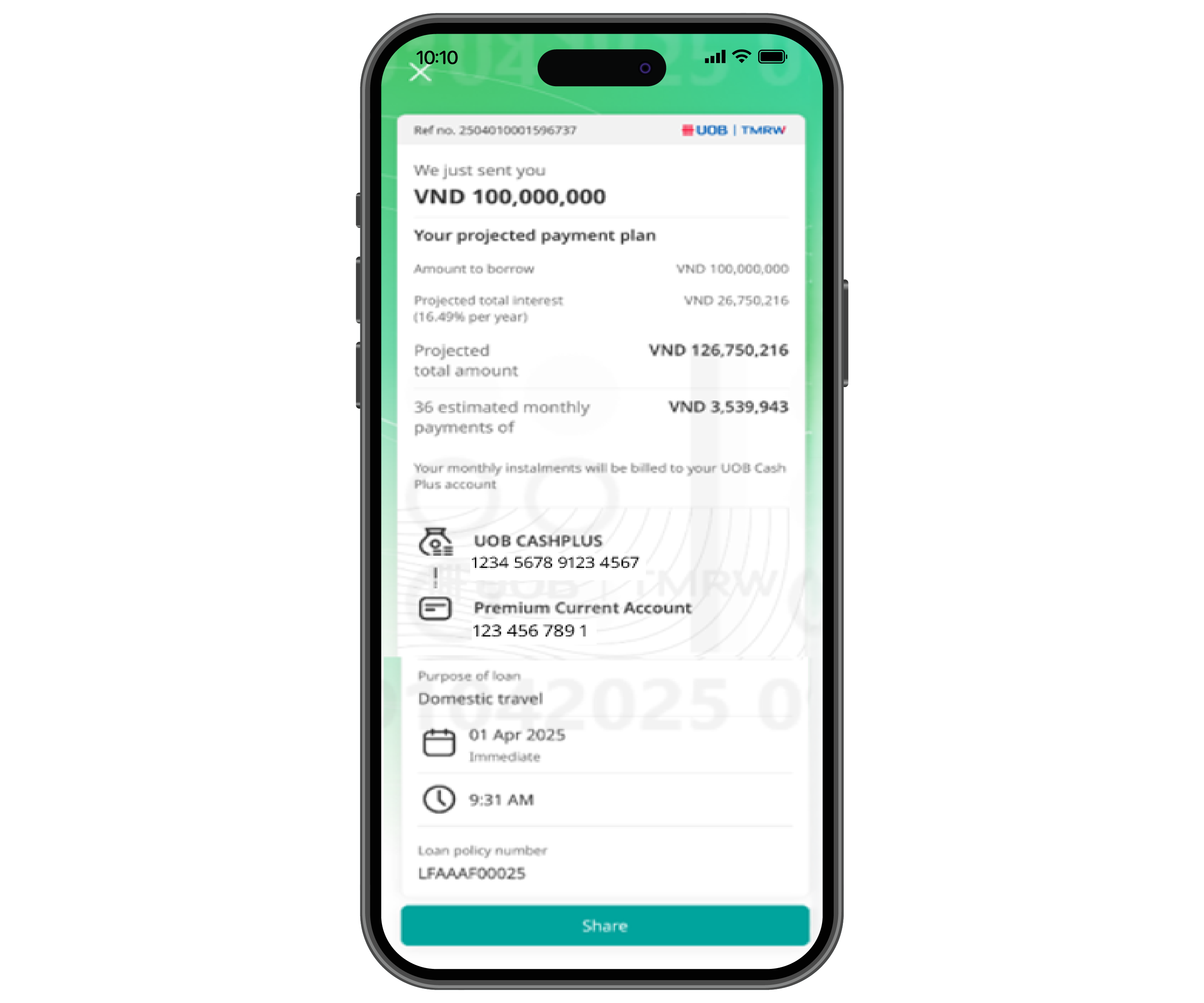
Apply online loan successfully


Step 1
Log in to UOB TMRW Vietnam and click “Get a loan” under your UOB CashPlus account
Step 2
Tap on ‘Let’s go’
Step 3
Input loan details
Step 4
Tap on ‘Next’ to continue
Step 5
Choose your tenor and breakdown of instalment plan and tap on ‘Next’
Step 6
Review and swipe to confirm
Apply online loan successfully
- If you choose to have the funds disbursed to a UOB Current Account, you will receive the money on the same day. Open UOB Current Account here.
- For disbursements to an account with another bank, your request will be processed within 7 working days.

As a reminder, we will never direct you to a website asking for your personal banking details, including OTP or PIN.
We use cookies in order to provide you with better services on our website. By continuing to browse the site, you agree to our privacy notice and cookie policy.