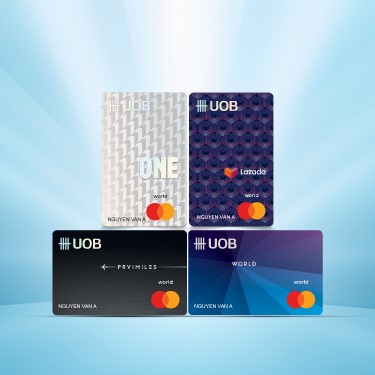

Optimal protection, attractive reward
Receive Urbox e-voucher up to VND 45 million when purchase policy with IP from VND 15 million.
Find out more

-
you are in Personal Banking

General
UOB DiscoverGeneralFor Individual
Privilege BankingFor Business
WHOLESALE BANKINGAbout UOB
UOB GroupUOB Vietnam




Browse deals by location (country)
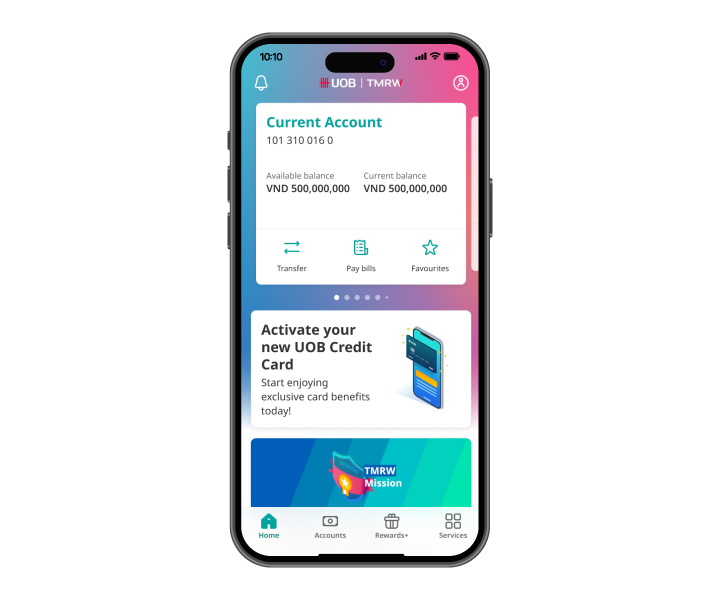
Step 1
Log in to UOB TMRW and tap on "Rewards+"
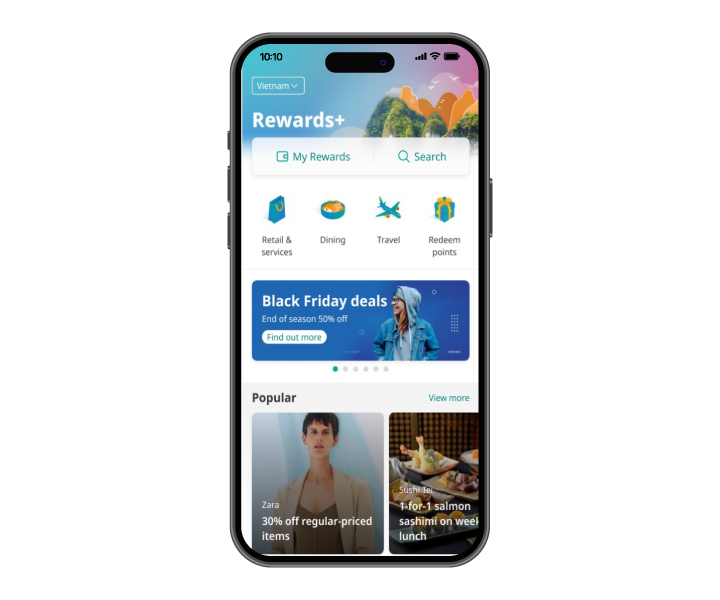
Step 2
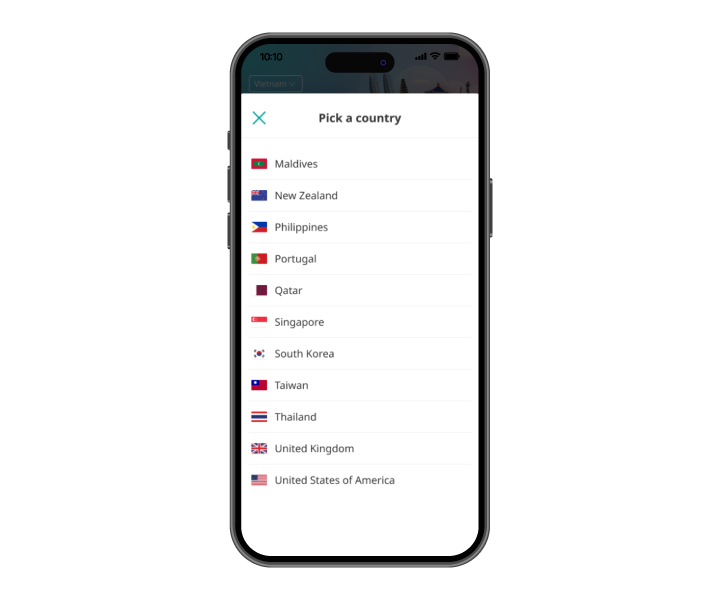
Tap on the top left corner
Step 3
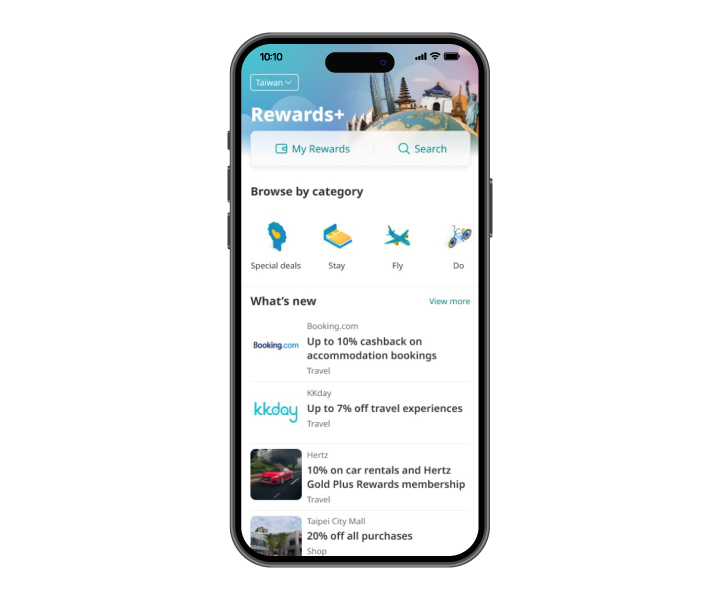
Select the desired country to view special deals by location
Step 4
The screen will display relevant and special deals under the selected country


Step 1
Log in to UOB TMRW and tap on "Rewards+"
Step 2
Tap on the top left corner
Step 3
Select the desired country to view special deals by location
Step 4
The screen will display relevant and special deals under the selected country
View Rewards Points and History
Step 1
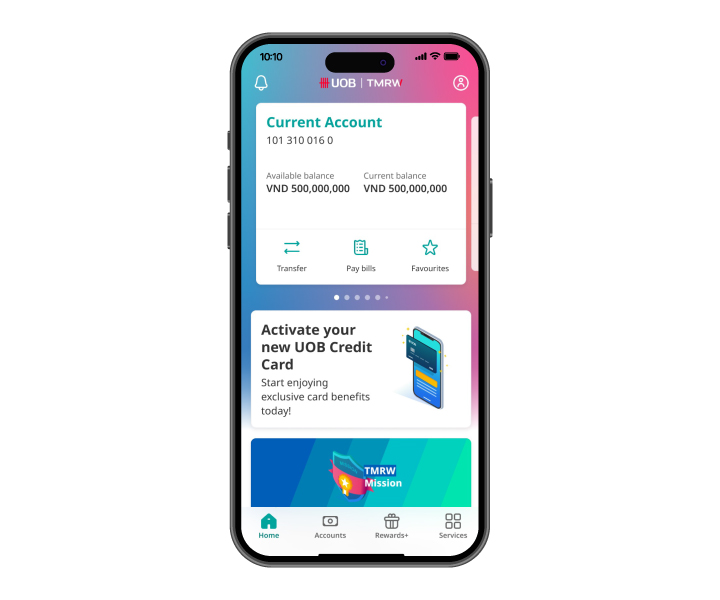
Log in to UOB TMRW and tap on "Rewards+"
Step 2
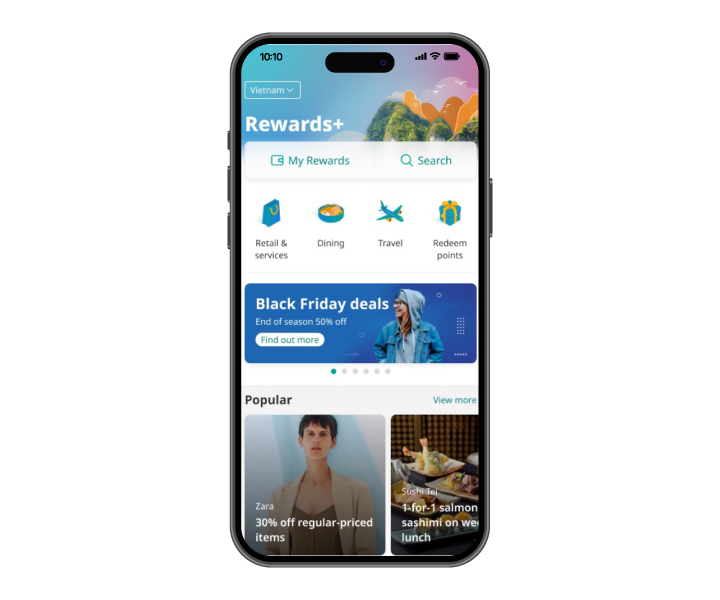
Tap on "My Rewards"
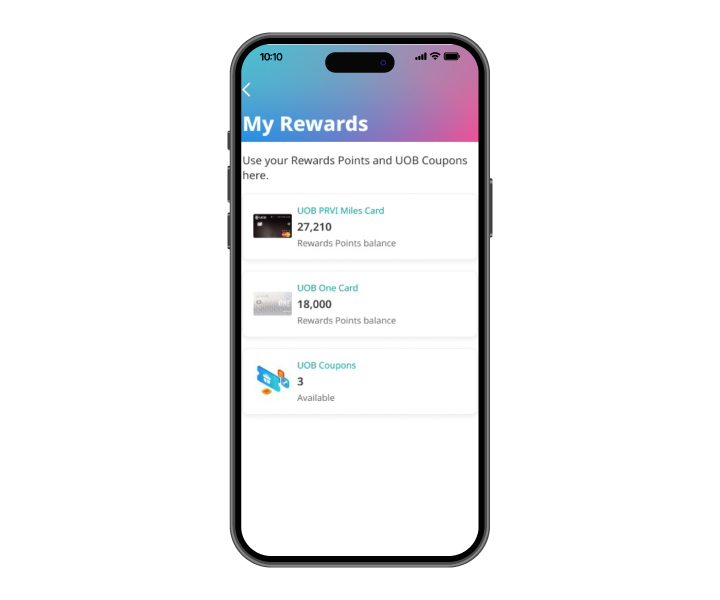
Step 3
Select a specific credit card to see more details
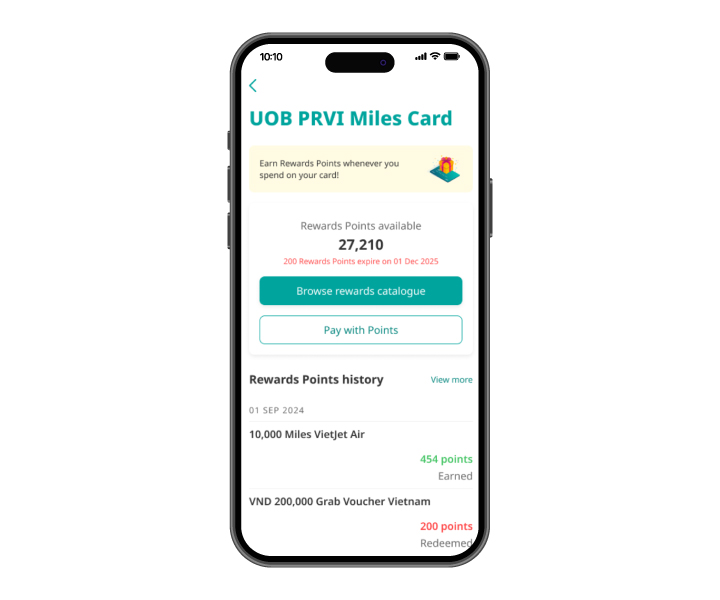
Step 4
View remaining points, expiring points, and points history of the selected card
Step 1
Log in to UOB TMRW and tap on "Rewards+"
Step 2
Tap on "My Rewards"
Step 3
Select a specific credit card to see more details
Step 4
View remaining points, expiring points, and points history of the selected card
Redeem Rewards Points
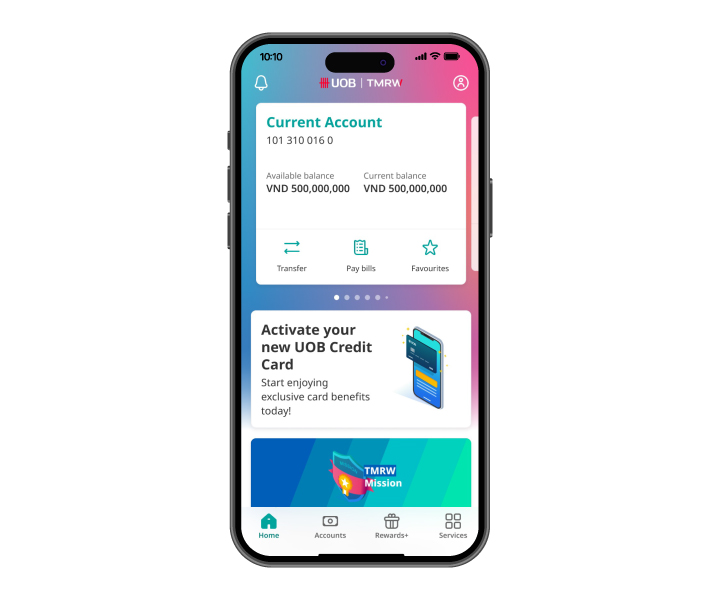
Step 1
Log in to UOB TMRW and tap on "Rewards+"
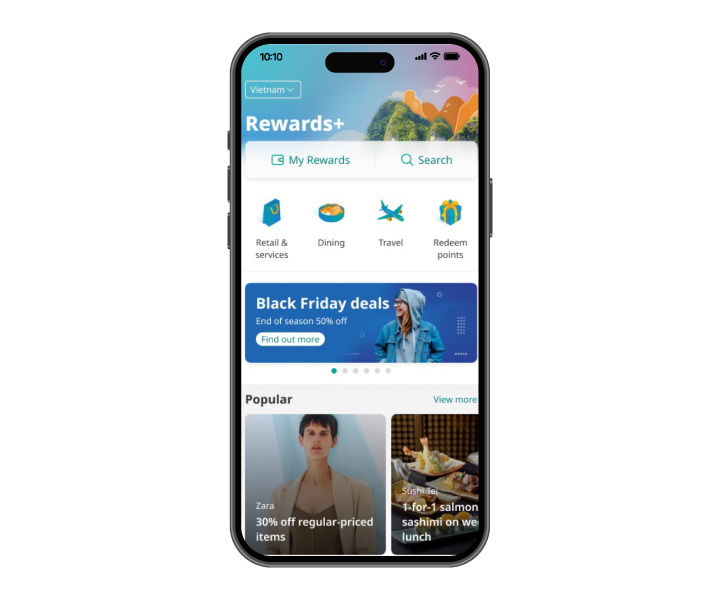
Step 2
Tap on "Redeem points"
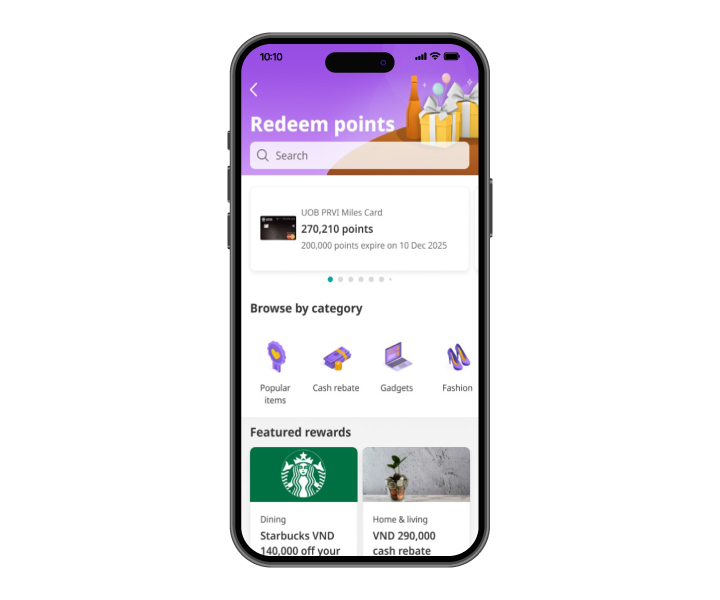
Step 3
Select item to redeem
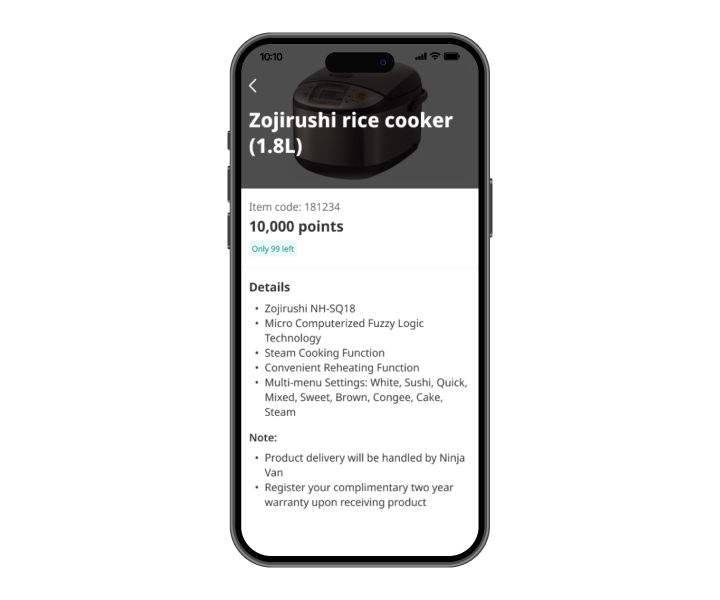
Step 4
Tap on “Redeem now” after reading scheme details
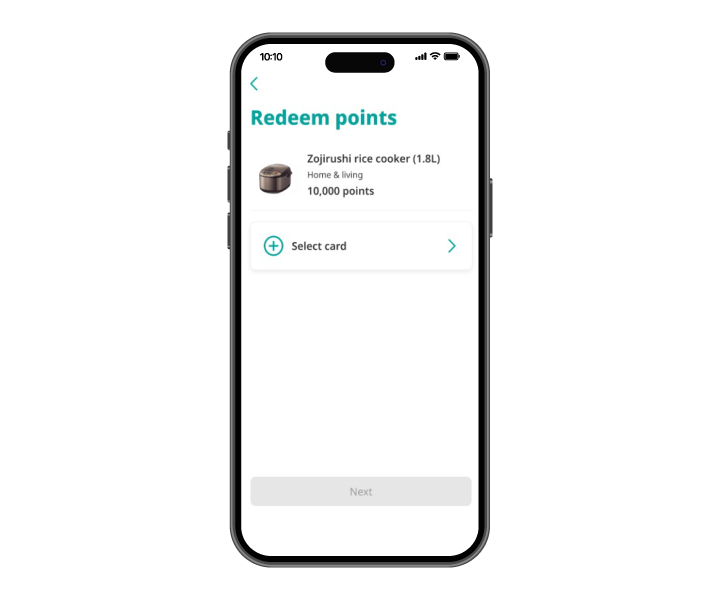
Step 5
Select credit card to redeem points
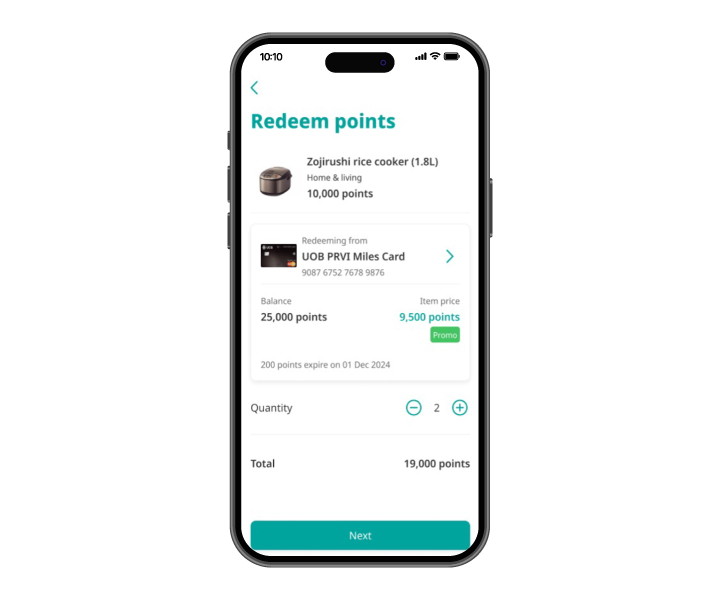
Step 6
Indicate quantity of item to redeem
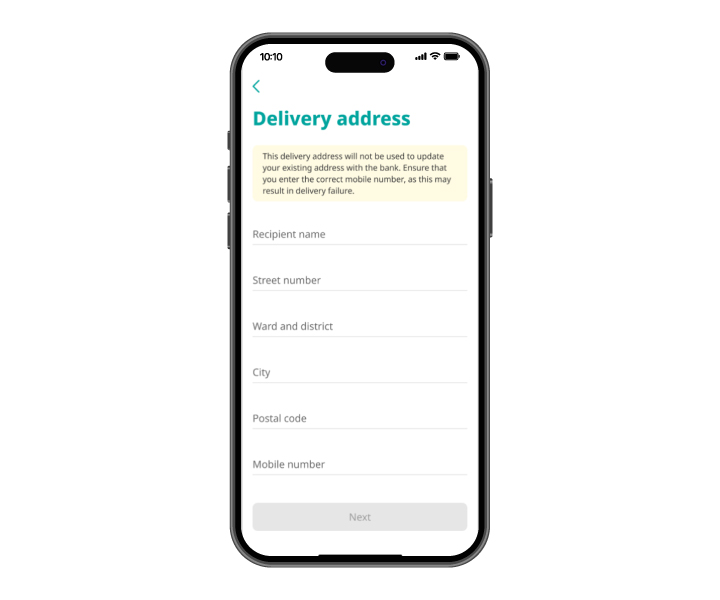
Step 7
Enter your delivery address (required for redemption of merchandises only)
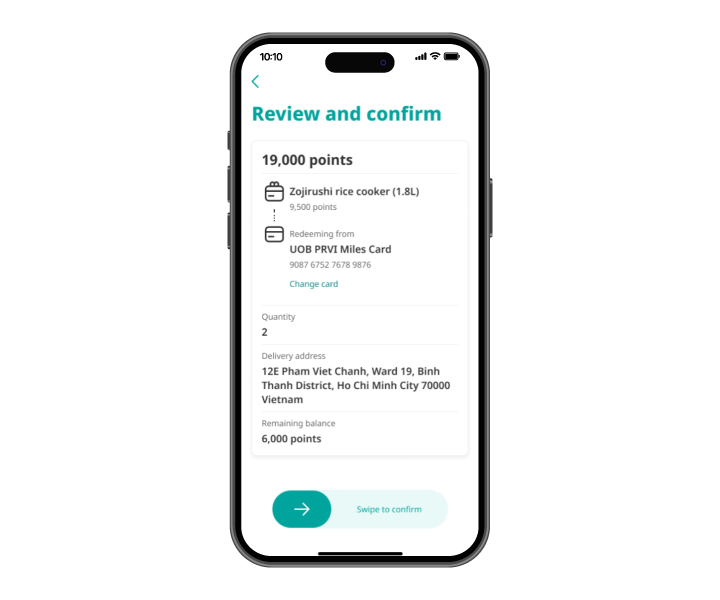
Step 8
Review the details and swipe to confirm points redemption
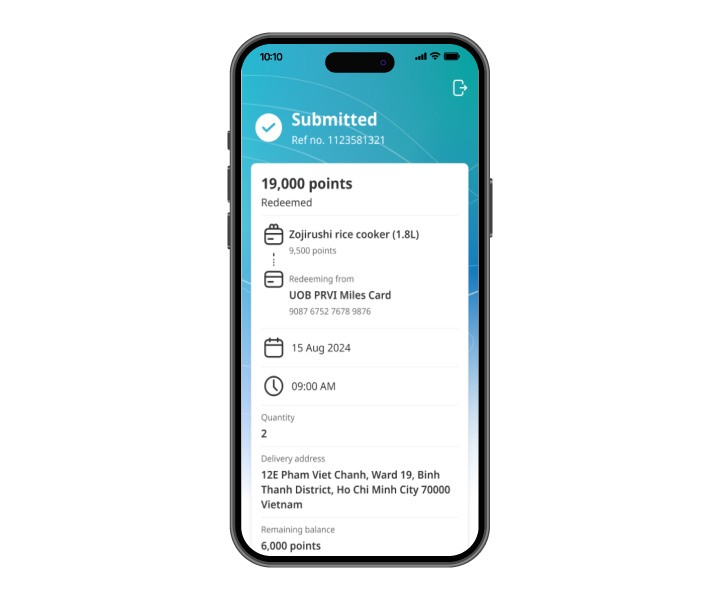
Step 9
Points redemption successfully
Step 1
Log in to UOB TMRW and tap on "Rewards+"
Step 2
Tap on "Redeem points"
Step 3
Select item to redeem
Step 4
Tap on “Redeem now” after reading scheme details
Step 5
Select credit card to redeem points
Step 6
Indicate quantity of item to redeem
Step 7
Enter your delivery address (required for redemption of merchandises only)
Step 8
Review the details and swipe to confirm points redemption
Step 9
Points redemption successfully
Redeem Rewards Points for Cash Rebates
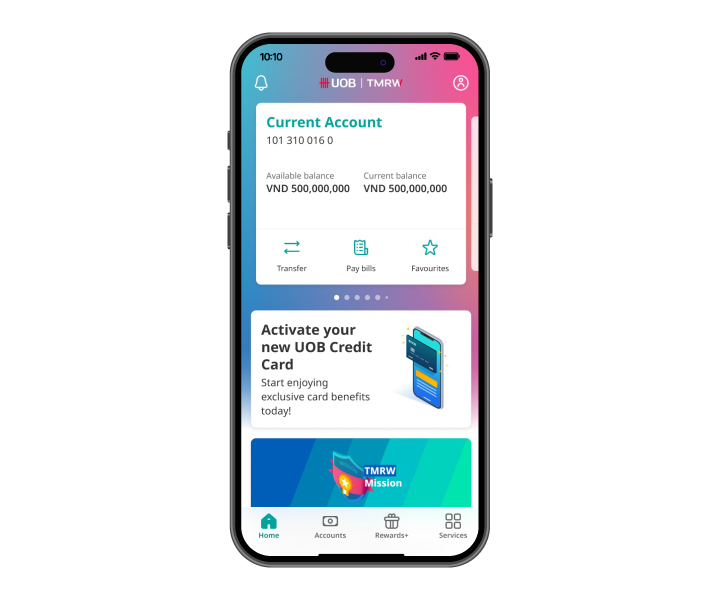
Step 1
Log in to UOB TMRW and tap on "Rewards+"
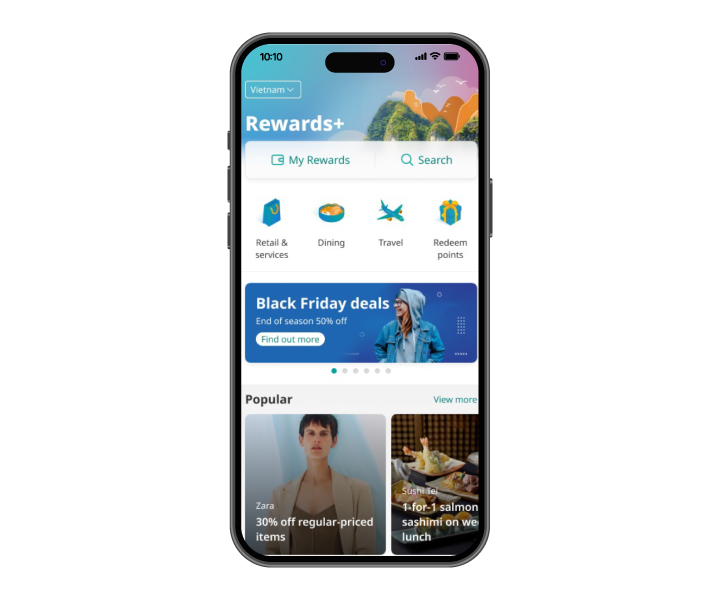
Step 2
Tap on "Redeem points"
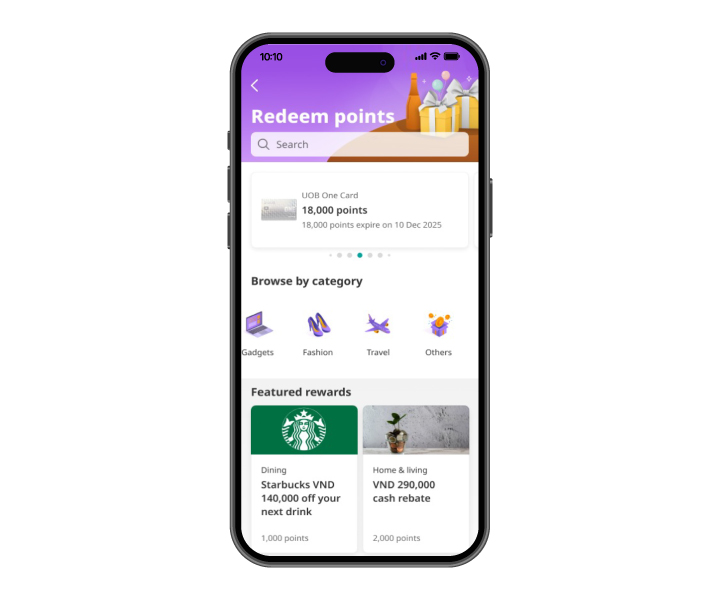
Step 3
Tap on "
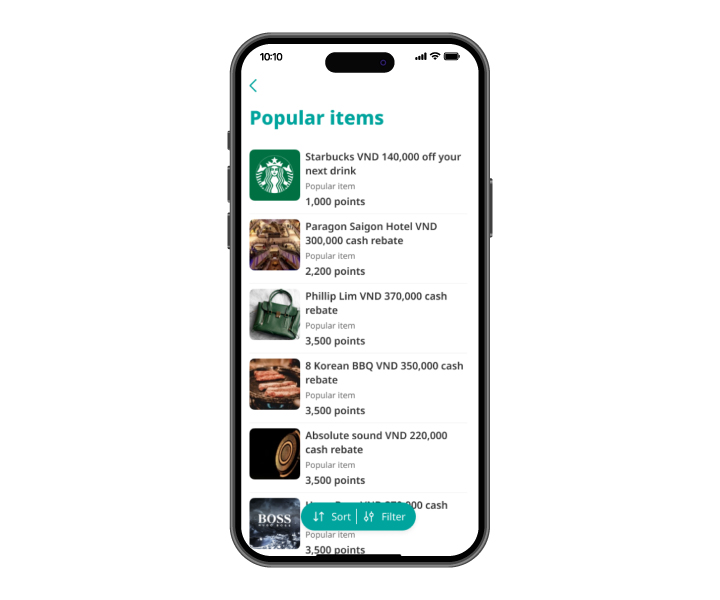
Step 4
Select item to redeem
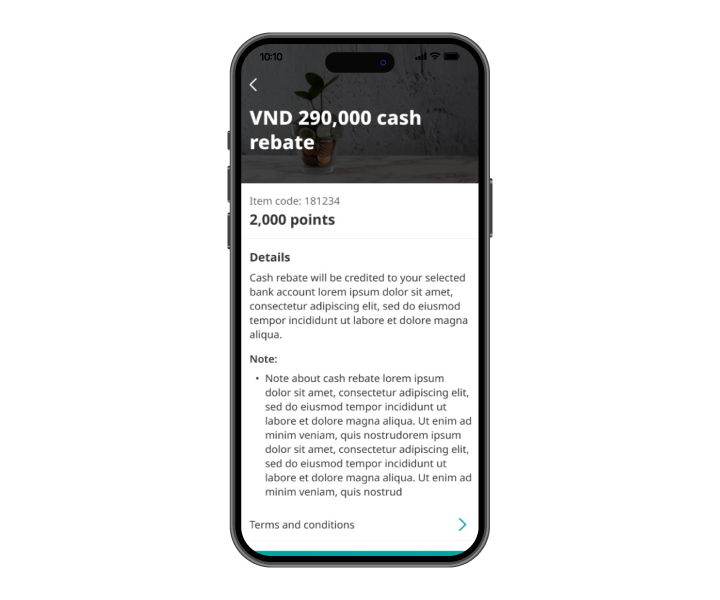
Step 5
Tap on “Redeem now” after reading scheme details
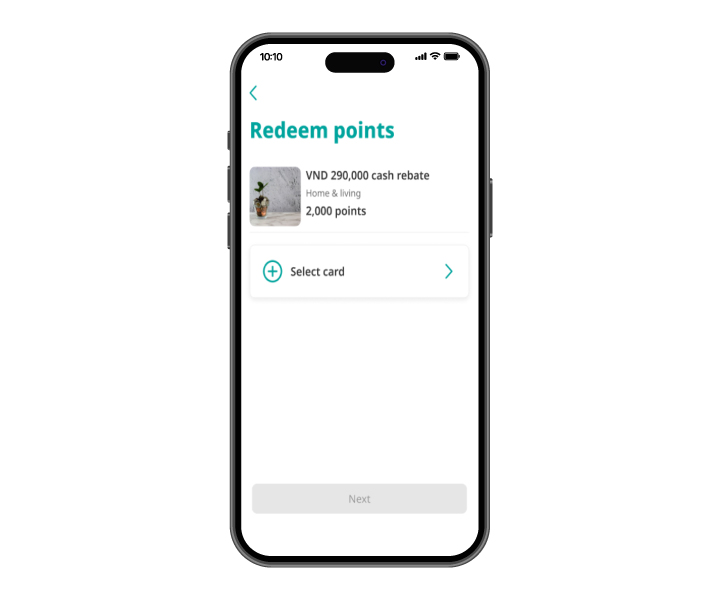
Step 6
Select credit card to redeem points
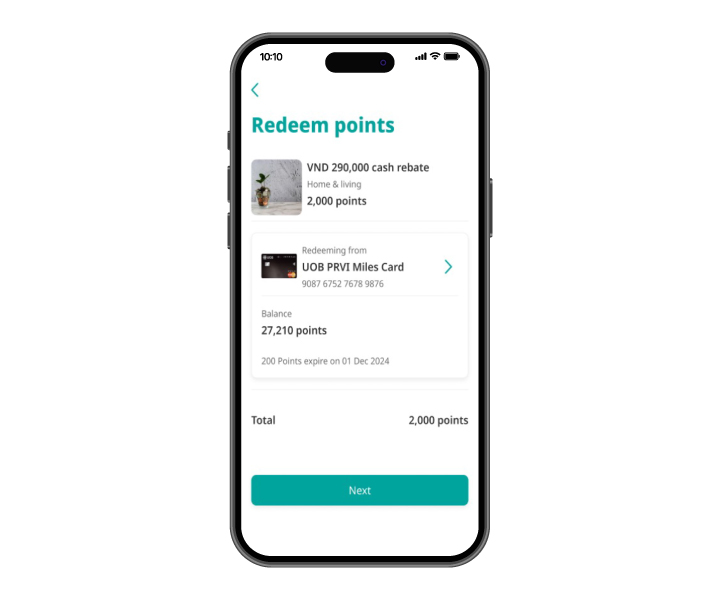
Step 7
Review redemption details and tap on "Next"
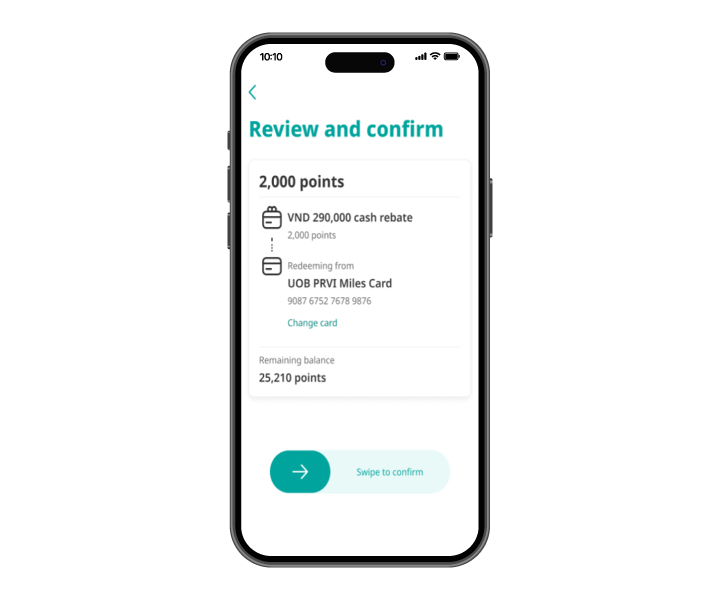
Step 8
Swipe to confirm points redemption
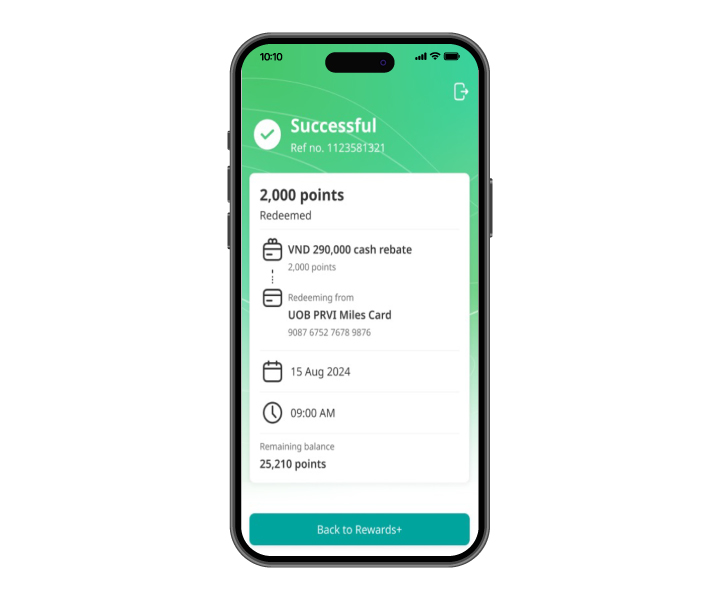
Step 9
Points redemption successfully
Step 1
Log in to UOB TMRW and tap on "Rewards+"
Step 2
Tap on "Redeem points"
Step 3
Tap on "
Step 4
Select item to redeem
Step 5
Tap on “Redeem now” after reading scheme details
Step 6
Select credit card to redeem points
Step 7
Review redemption details and tap on "Next"
Step 8
Swipe to confirm points redemption
Step 9
Points redemption successfully
Redeem Rewards Points for Air Miles
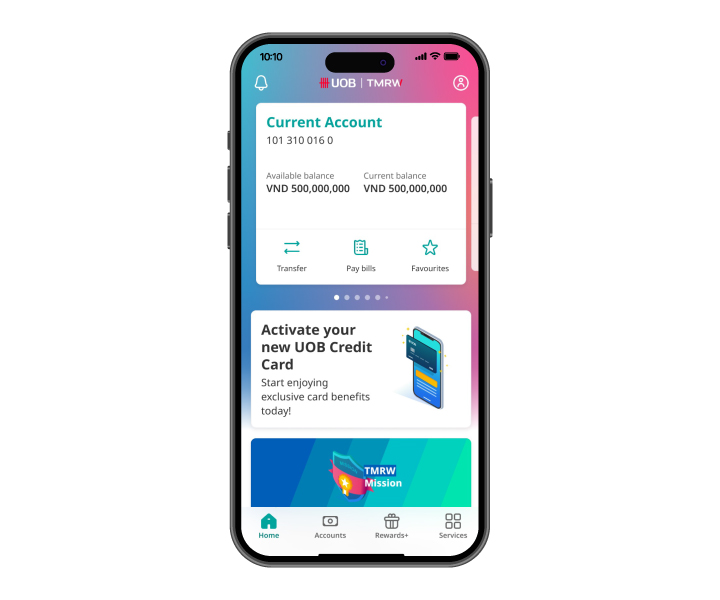
Step 1
Log in to UOB TMRW and tap on "Rewards+"
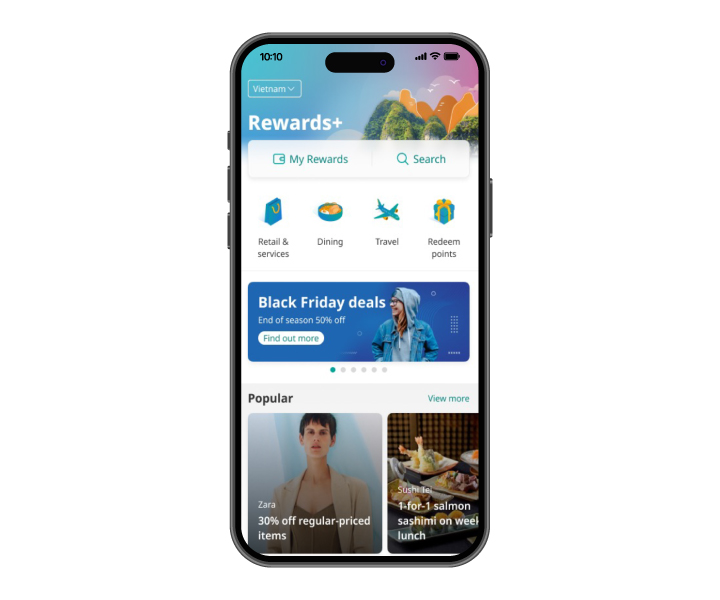
Step 2
Tap on "Redeem points"
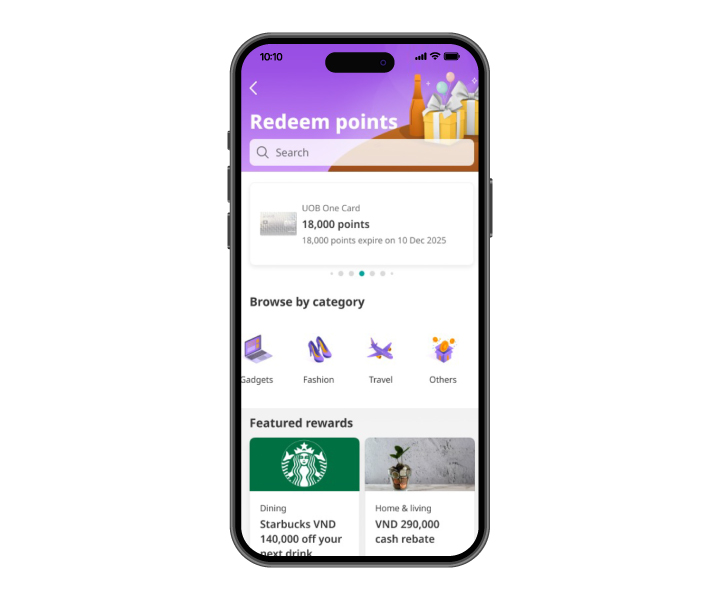
Step 3
Tap on "Travel"
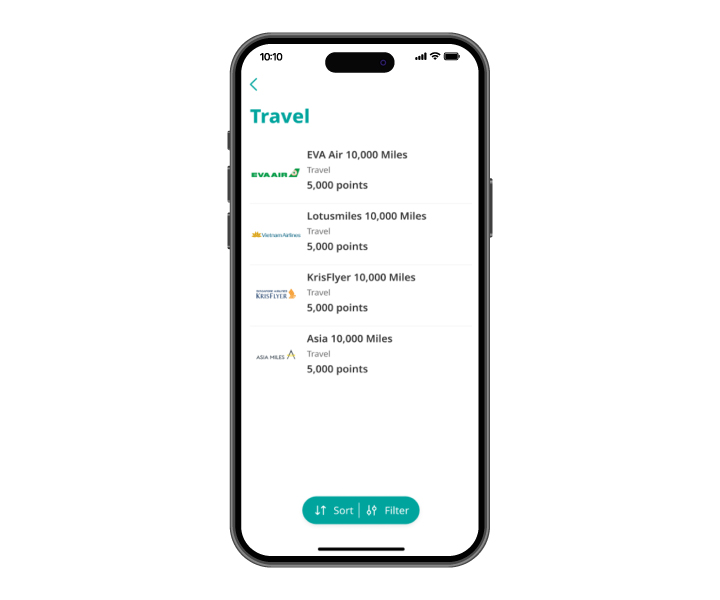
Step 4
Select airline programme to convert miles
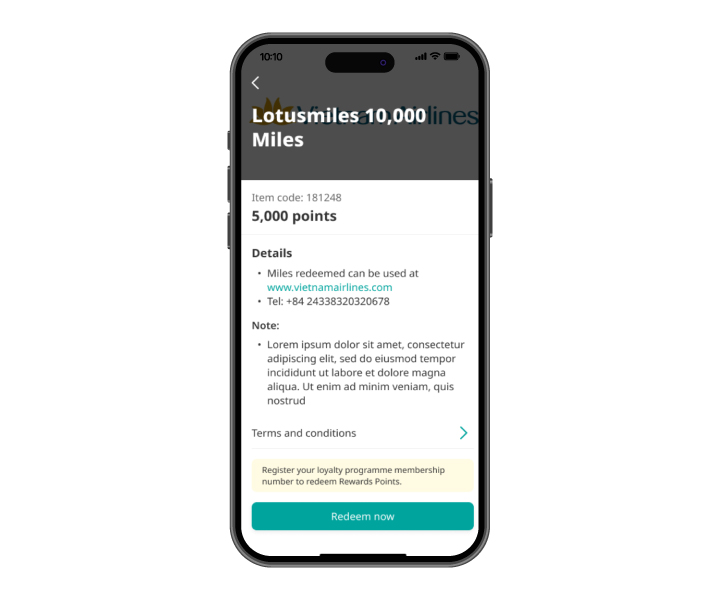
Step 5
Tap on "Redeem now" after reading scheme details
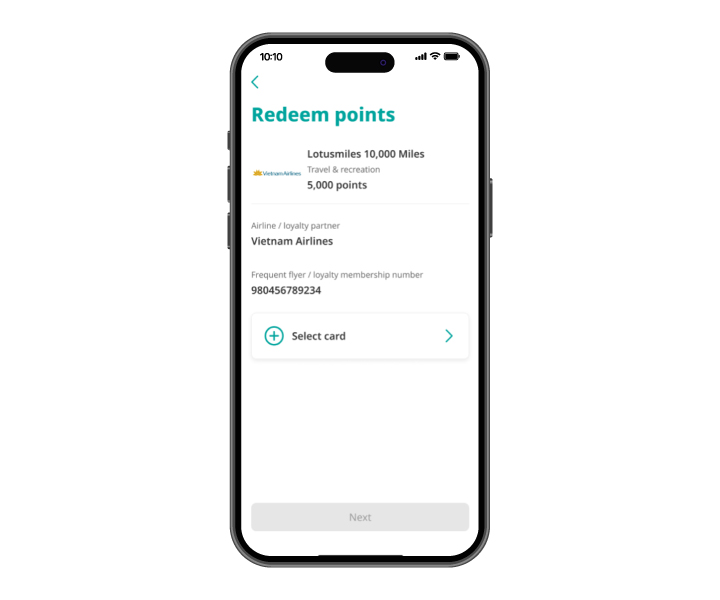
Step 6
Tap on "Redeem now" after reading scheme details
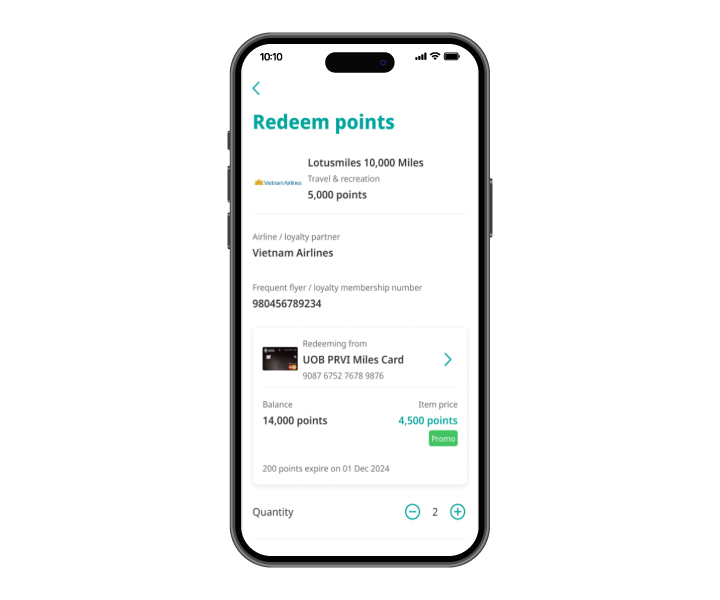
Step 7
Indicate quantity of item to redeem
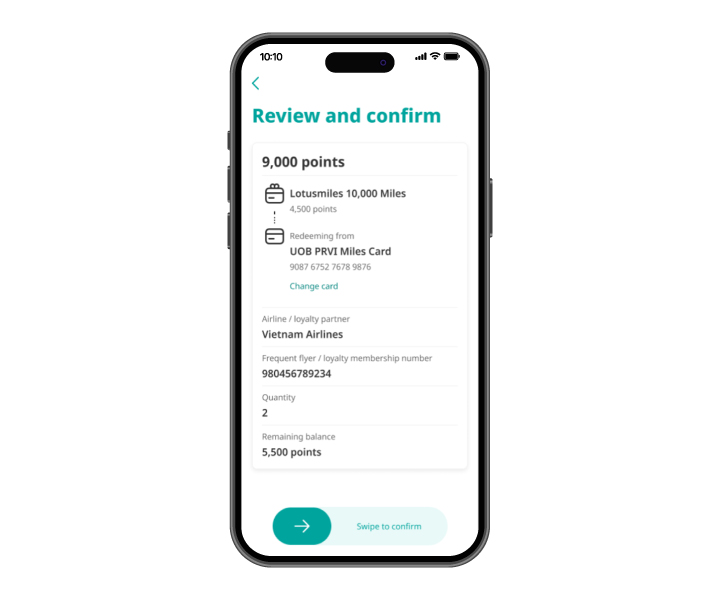
Step 8
Review the details and swipe to confirm points redemption
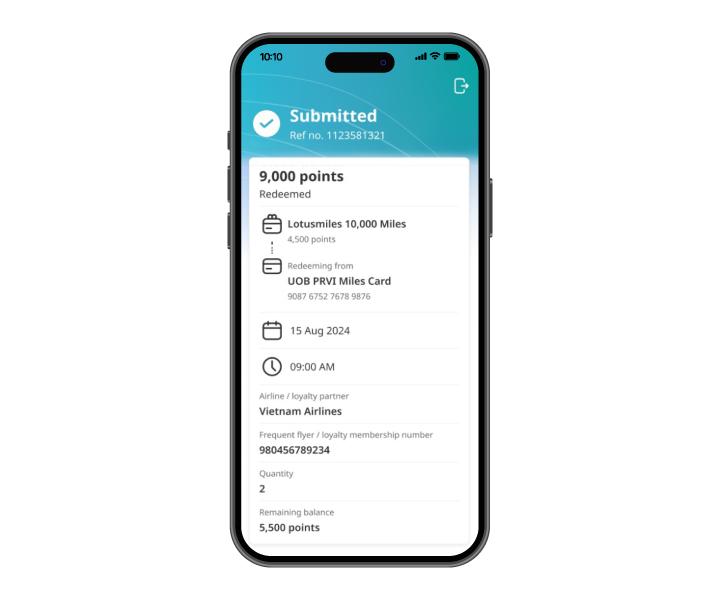
Step 9
Successfully converted points to miles
Step 1
Log in to UOB TMRW and tap on "Rewards+"
Step 2
Tap on "Redeem points"
Step 3
Tap on "Travel"
Step 4
Select airline programme to convert miles
Step 5
Tap on "Redeem now" after reading scheme details
Step 6
Tap on "Redeem now" after reading scheme details
Step 7
Indicate quantity of item to redeem
Step 8
Review the details and swipe to confirm points redemption
Step 9
Successfully converted points to miles

Make TMRW yours,
download now.



As a reminder, we will never direct you to a website asking for your personal banking details, including OTP or PIN.
We use cookies in order to provide you with better services on our website. By continuing to browse the site, you agree to our privacy notice and cookie policy.